
Product variations let customers choose options such as size or color on the product page and in the cart. Variations are available in the Web Store and Inquiry Catalog modes (see Choose a Catalog Mode).
The product variations box can be found on every product edit/add screen.
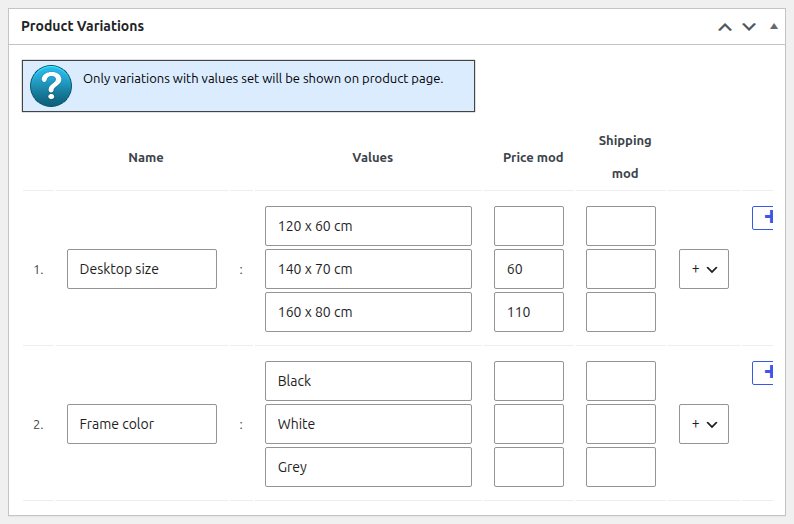
Assigning product variations
You can assign variation:
- Name – this is shown in a drop down e.g. Select CPU
- Values – the variation drop down values
- Price mod – you can assign a price change to every variation value. You can change the price by percentage or by fixed value
- Shipping mod – you can change the shipping price for every variation value in the same way. This column shows up when shipping is enabled.
Price modification type
The price mod and shipping mod columns have a small drop-down next to the value:
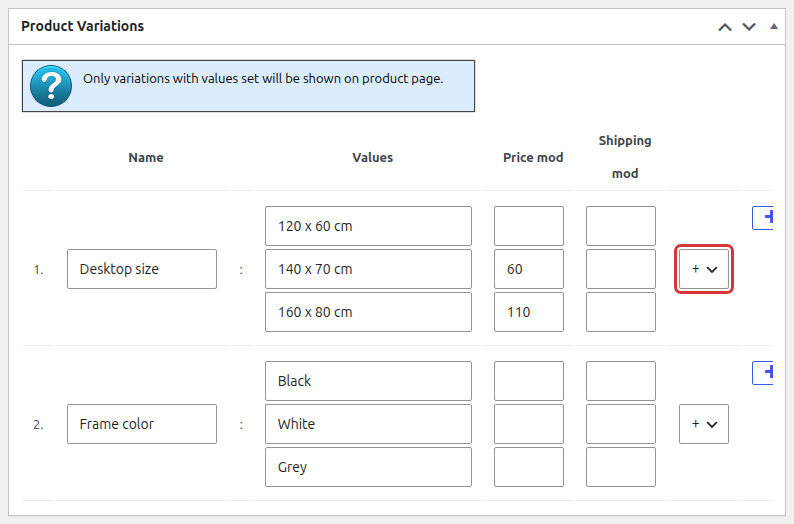
Two modification types are available:
- + – adds the entered value to the price
- % – adds the entered percentage of the main product price
Price and shipping changes apply in the Web Store mode when the price is enabled. In the Inquiry Catalog mode variations work as selectors only and don’t change the price.
Number of product variations
The maximum number of product variations (per product) can be assigned in Products > Settings > Attributes > Product Variations in the Number of product variations field:
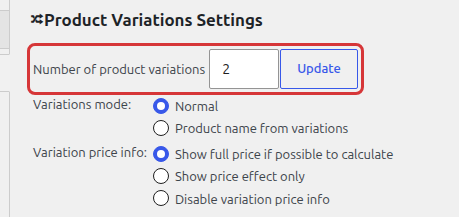
This allows you to set any number of product variations. This setting can be changed at any time.
Variations mode
The Variations mode setting on the same screen controls how the selected variations are shown in the cart, checkout and notification emails:
- Normal – each selected variation is listed with its name, for example Size: XL
- Product name from variations – only the selected values are shown next to the product name
Variations Price Info
The Variation price info setting defines how the price is shown in the variation selector. 3 options are available:
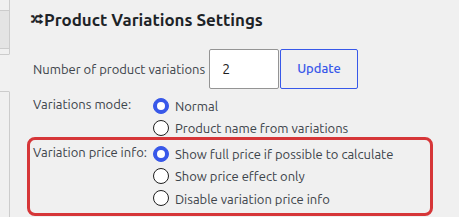
- Show full price if possible to calculate
- Show price effect only – it will show the price change
- Disable variation price info
Try each of the options to match your usage scenario.
Product Variations defaults
If you are using similar variations on every product you can assign default values for them. The default values are set at Products > Settings > Attributes > Product Variations
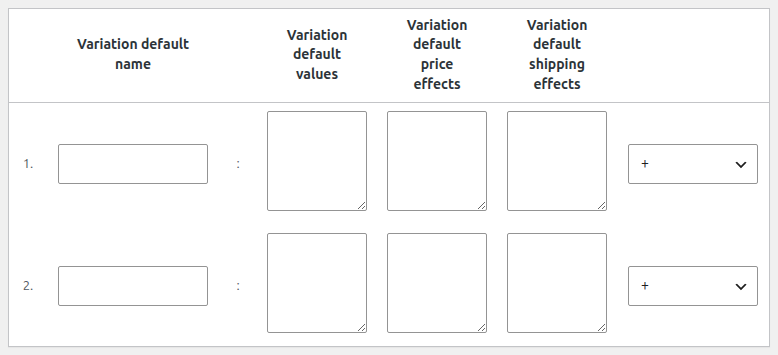
Any variation field default can be set:
- name
- values
- price effect
- shipping effect
When the default value is set it will be pre-filled on new product screen.
You can show the variation selectors anywhere with the [product_variations] shortcode. See All Product Catalog Shortcodes.
For product specifications that customers don’t choose, such as material or brand, use product attributes instead.