
By definition, a Stock Keeping Unit (or SKU) is a number assigned to a product by a retail store to identify the price, product options and manufacturer of the merchandise.
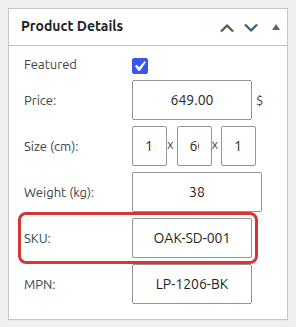
The SKU field is enabled by default in the catalog. You will find it on the product edit/add screen inside the product details box:
How to disable the SKU feature?
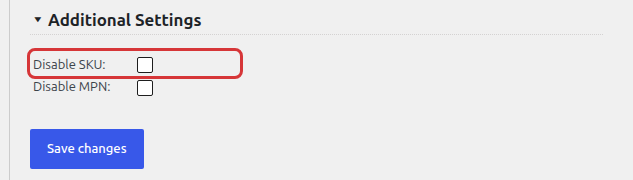
You can disable the catalog SKU feature in Products > Settings > General Settings, in the Additional Settings section at the bottom. Check Disable SKU and save the settings:
Product MPN
The MPN (Manufacturer Part Number) field works the same way as the SKU. It is enabled by default and you will find it in the product details box. A filled MPN shows up on the product page and is added to the product structured data.
To disable it, check Disable MPN in the same Additional Settings section.
SKU and MPN labels and shortcodes
You can rename the SKU and MPN labels shown on the product page with the SKU Label and MPN Label in Front-end Labels. To display them anywhere, use the [product_sku] and [product_mpn] shortcodes.