
To assign a product as featured, use the Featured checkbox on the product edit/add screen. The checkbox is located inside the product details box:
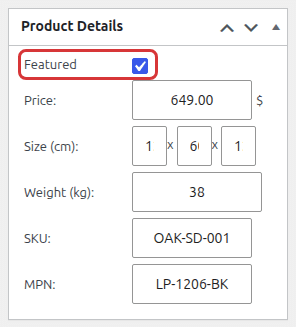
Check the Featured checkbox and save the product.
How to display the featured products?
To display featured products you can use [show_featured_products] shortcode anywhere on your website. You can also add the featured=1 attribute to the [show_products] shortcode to list only featured products.